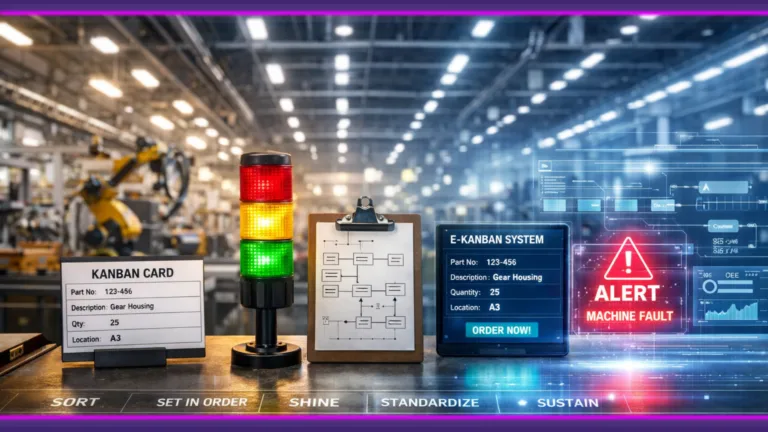

To reduce unplanned downtime, start by measuring every stop with its reason, then shorten the time between a stop and the right person reacting to it. Only after that does it pay to move the most critical machines to condition-based or predictive maintenance. Many plants jump straight to predictive maintenance and skip the first two steps, which are usually cheaper and quicker to fix.
What does an hour of downtime really cost you?
Siemens estimates that unplanned downtime costs the world’s 500 largest companies about 1.4 trillion dollars a year, or 11% of their revenue. In its survey, an average large plant lost 27 hours a month to unplanned downtime, down from 39 hours in 2019. In large automotive plants, the most expensive sector in the survey, an hour of downtime now costs about 2.3 million dollars [1].
Your own number matters more than an industry average. A simple way to estimate the cost of one hour on a line:
cost per hour = lost margin on parts that are never made (or the overtime needed to make them up) + scrap from restarts + late delivery penalties.
Illustrative example: a line makes 120 parts an hour at a margin of 15 dollars per part, and the lost parts are never made up, so each lost hour costs 1,800 dollars in margin. A restart scraps 10 parts at 20 dollars each, another 200 dollars. Without penalties, one hour of downtime costs about 2,000 dollars. If the line loses 20 hours a month, that is about 40,000 dollars a month. If the plant makes the parts up with overtime instead, count the overtime cost in place of the lost margin.
With this number you can compare any fix with what it saves, and decide which machines to start with.

Step 1: How do you measure every stop, with a reason?
Most plants know about long breakdowns, but not about the many short stops, waits for material and slow restarts in between.
Start with three things. First, a fixed set of machine states, for example running, idle, stopped, setup and maintenance, so every minute of the shift has a state. Second, a short list of stop reasons, chosen by the operator at the machine, not typed in at the end of the shift. Third, automatic capture of the state from the machine, so short stops are recorded too.
Older machines are not a reason to wait. A machine without a PLC can still report whether it runs, through its stack light, motor current or a cycle sensor. The DBR77 IIoT knowledge base explains how in connecting old machines without a PLC.
After two or three weeks you have a list of where the time goes, by machine, reason and shift, and it shows where to start.
Step 2: How do you shorten the time from stop to response?
A large part of downtime is often the wait before the right person knows about the stop. An operator walks to find a technician, the technician is busy elsewhere, nobody knows who owns the problem.
Shorten this time with a few rules:
- Each alert goes to one named person or role.
- An alert fires only for a real event, for example a stop longer than a set time.
- If nobody accepts the alert within a set time, it escalates to the next person.
- The response time is measured, so you see whether it gets shorter.
Too many alerts are as bad as none, because people stop reading them. The DBR77 IIoT knowledge base covers this in why machine alerts fail on the shop floor.
See how machine signals turn into alerts and tasks. Open the DBR77 IIoT demo: a demo environment with sample data, machine statuses, alerts and operator views.

Step 3: Which maintenance strategy fits each machine?
Not every machine needs predictive maintenance. The right strategy depends on how critical the machine is, how it fails and what data you have. ISO 17359 gives general guidance for planning a condition monitoring program for machines [2].
| Strategy | When it makes sense | Data you need | First step |
|---|---|---|---|
| Reactive (run to failure) | Cheap, non-critical machines with a spare or a backup | Stop log, repair time | Keep spare parts and a clear repair procedure |
| Preventive (time or count based) | Wear that grows with run hours or cycles | Run hours, cycle counts, maintenance history | Plan service by run hours or cycle counts |
| Condition-based | Failures that show early signs, such as vibration, temperature or current | Measured condition with limits | Set limits on one or two signals for the most critical machine |
| Predictive | Critical machines with enough failure history and data | Condition data over time plus failure records | Start only when the steps above are in place |
Start with the machines that cause the most lost hours in Step 1. For more on the last row, read Predictive maintenance: ending unplanned downtime.

Step 4: How do you turn alerts into work orders and remove repeat failures?
Fast response fixes today’s stop, but the same failure can come back next week. To prevent that, the stop has to end up in maintenance planning.
Turn an alert into a work order when it needs parts or planning, when it keeps recurring, or when it runs past a set time. Shorter problems can stay as quick tasks during the shift. The DBR77 IIoT knowledge base explains when to connect machine data with MES, ERP and CMMS.
Then review repeat failures every week or two. Take the three failures that cost the most hours, find the root cause with the team that repairs them, and decide one action for each. Track mean time between failures and mean time to repair for the machines you work on. A CMMS keeps the history per machine. How to manage maintenance with data in the DBR77 IRIS knowledge base shows how work orders, condition-based plans and repeat failure reviews fit together.
What usually gets in the way?
Four problems often slow plants down.
- Operators do not trust the data. If the recorded stops do not match what they see, they stop choosing reasons. Show them the data every day and fix wrong states quickly.
- IT and OT are not aligned. Machine data, MES, ERP and CMMS belong to different teams. Agree early who owns the connection and the machine network.
- The pilot has no owner. A pilot run by an outside team ends when that team leaves. Give one person in the plant the job of acting on the results.
- People still work the old way. Moving from reactive repair to planned work takes training and time. Start on one line, show the saved hours, then expand.
For a wider view of monitoring the whole plant, read how to effectively monitor production in real time.

FAQ
How do I calculate the cost of downtime per hour?
Add the lost margin on parts you never make (or the overtime needed to make them up), the scrap from restarting and any late delivery penalties. Use your own output per hour and margin. Even a rough number is enough to compare fixes and decide where to start.
Is predictive maintenance worth it for a mid-size plant?
For a few critical machines with a clear failure pattern, it can be. For most machines, measuring every stop, responding faster and planning maintenance by run hours or condition brings results sooner and at lower cost. Start there, then add predictive maintenance where the data supports it.
Can older machines without a PLC be monitored?
Yes. A small edge device can read signals the machine already gives, such as a stack light, motor current or a cycle sensor, without changing the machine’s control logic. That is enough to record run, idle and stop states and the time of each stop.
Should we start with maintenance planning or with machine monitoring?
Start with monitoring on the machines that stop most often. It shows where the time goes and gives maintenance planning real stop data to work with. Once stop data is stable for a few weeks, connect it to the maintenance system.
Ready to cut your unplanned downtime?
Start with the machines that stop most often. Try the DBR77 IIoT demo to see machine statuses, alerts and operator views on sample data, then talk to us about measuring the stops on one of your lines.